Contents
- Spring Cloud Config: introduction and example
- Spring Cloud Config: Spring Cloud Bus example
- Spring Cloud Config: auto refresh with Git Webhook
- Spring Cloud Config: changes in Spring Boot 2.4
Why Spring Cloud Bus?
In the previous post, we used Spring Cloud Config to refresh configuration without redeployment.
But there is a drawback: each client still needs endpoint calls like /actuator/refresh.
In microservice environments with many independent clients, calling every client is operationally heavy.
With Spring Cloud Bus, when configuration changes, all connected clients can refresh together.
Instead of calling refresh on all servers, calling one client can propagate refresh to all clients.
Update (January 2021): from Spring Boot 2.4, examples in this post no longer use
bootstrap.yml. Also actuator endpoint changed frombus-refreshtobusrefresh. See the fourth post in contents: “changes in Spring Boot 2.4”.
Architecture Overview
As in the previous article, configuration files live in Git. Config server fetches latest config from Git and serves as centralized configuration service. Clients fetch configuration from config server at startup.
Clients are connected through Spring Cloud Bus.
Spring Cloud uses lightweight brokers such as RabbitMQ or Kafka.
This example uses RabbitMQ and broadcasts events to all connected clients.
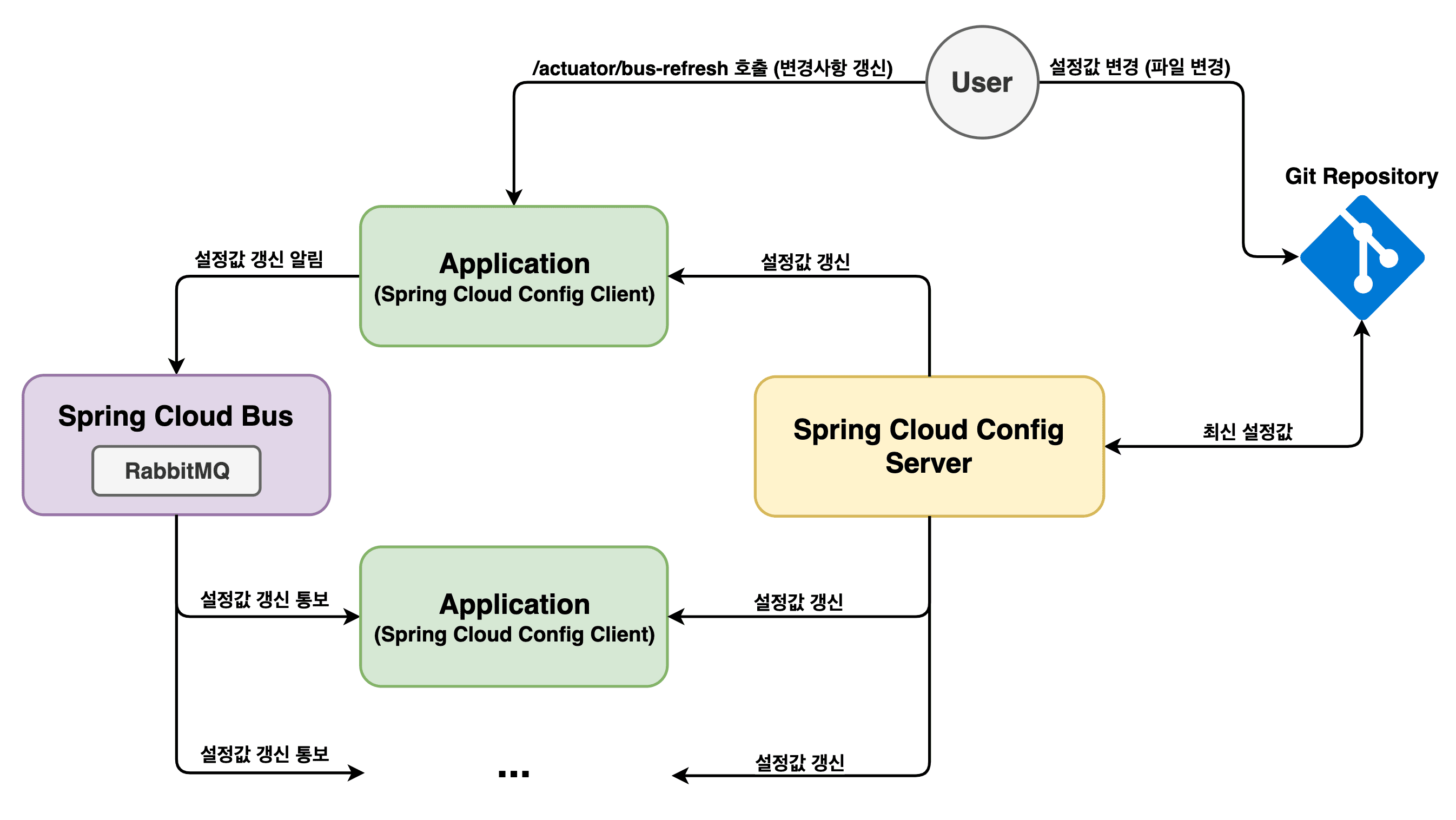
After pushing config updates to Git, call one client endpoint actuator/bus-refresh.
Difference from old setup: with Bus, all clients connected through RabbitMQ refresh together.
Config server fetches latest configuration from Git and refreshes its own state. Then when clients request configuration, they get updated values.
Let’s implement this flow directly.
Full source for this example is linked at the bottom.
Build and Run RabbitMQ
We’ll run RabbitMQ locally via Docker.
RabbitMQ messaging uses port 5672.
Admin page uses port 8087.
User/password are both madplay.
$ docker run -d --name rabbitmq \
    -p 5672:5672 -p 8087:15672 \
    -e RABBITMQ_DEFAULT_USER=madplay \
    -e RABBITMQ_DEFAULT_PASS=madplay \
    rabbitmq:management
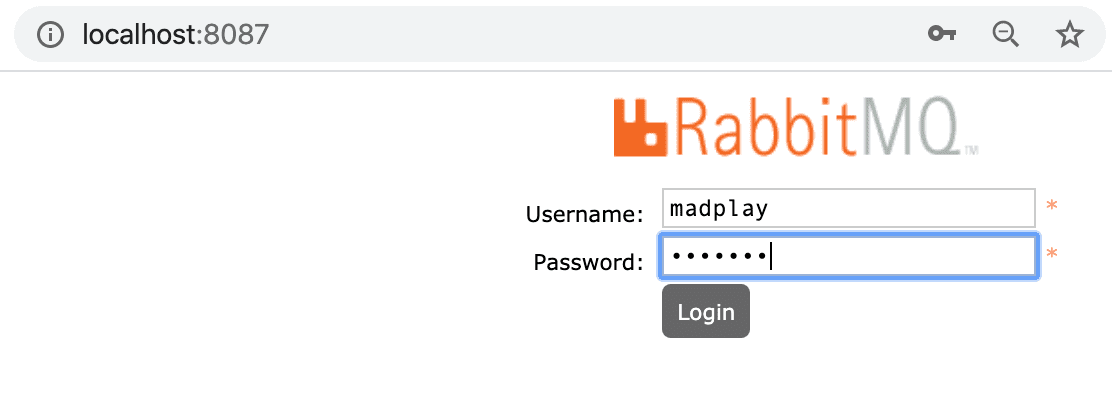
If it starts correctly, open http://localhost:8087 and log in with those credentials.
Update Spring Cloud Config Client
Modify client code.
Add dependency in pom.xml for Spring Cloud Bus.
<dependency>
    <groupId>org.springframework.cloud</groupId>
    <artifactId>spring-cloud-starter-bus-amqp</artifactId>
</dependency>
Then set application.yml like below.
As in previous posts, bootstrap.yml still works in old versions,
but in this example actuator endpoint exposure is placed in application.yml.
server:
  port: 8089
spring:
  rabbitmq: # RabbitMQ settings
    host: localhost
    port: 5672
    username: madplay
    password: madplay

management:
  endpoints:
    web:
      exposure:
        include: bus-refresh
And bootstrap.yml:
spring:
  profiles: # can be set here or passed at runtime
      active: dev
  application:
    name: config
  cloud:
    config:
      uri: http://localhost:8088
Client changes are done. Config server code does not need changes.
Verify Behavior
Now run RabbitMQ, Config server, and Config clients.
Because active profile is set in bootstrap.yml, no extra run option is required.
If you want explicit profile, use -Dspring.profiles.active=dev.
In IntelliJ, use Active Profiles in Run/Debug Configuration.
In this test we run 2 clients to verify refresh propagation across all RabbitMQ-connected clients.
Run first client, then change server.port in application.yml to 8086 and run second client.
Port layout:
- 8086: Config client 2
- 8087: RabbitMQ
- 8088: Config server
- 8089: Config client 1
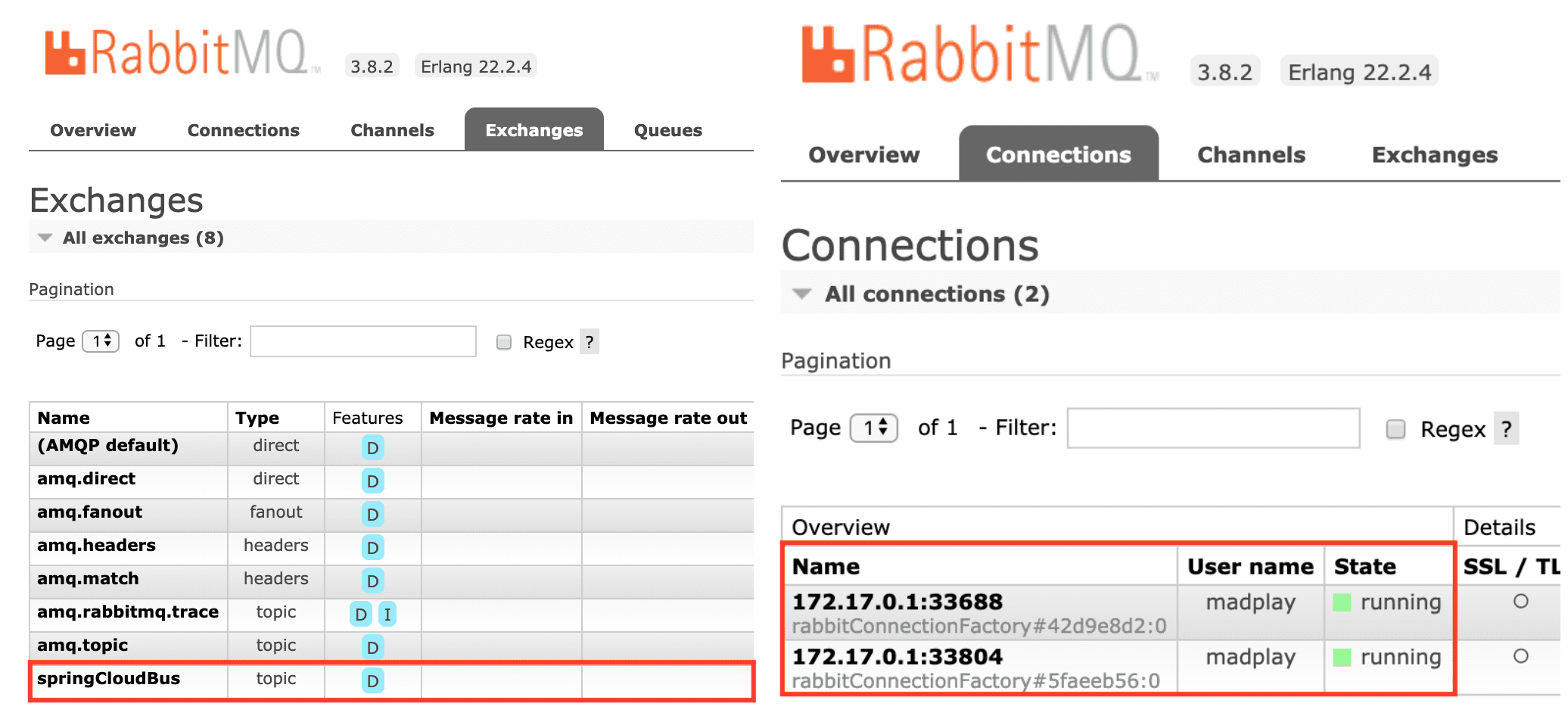
When both clients are up, RabbitMQ admin page should show successful connections.
In Exchanges, springCloudBus should appear.
Connection status can be checked in Connection tab.
Before changing config, call each client and check current values.
$ curl -X GET "http://localhost:8089/dynamic"

# result
{
  "profile": "I'm dev taeng",
  "comment": "Hello! updated dev taeng!!!"
}

$ curl -X GET "http://localhost:8086/dynamic"

# result
{
  "profile": "I'm dev taeng",
  "comment": "Hello! updated dev taeng!!!"
}
Both clients return same values.
Now modify config-dev.yml in Git repository.
You can edit in GitHub UI or edit locally then commit/push.
taeng:
  profile: I'm dev taeng
  comment: Hello! updated by Spring Bus.
Now call only one client endpoint:
$ curl -X POST "http://localhost:8089/actuator/bus-refresh"
Previously you had to call every client. Now one call triggers refresh across all clients connected through RabbitMQ.
Verify by calling clients again:
$ curl -X GET "http://localhost:8089/dynamic"

# result
{
  "profile": "I'm dev taeng",
  "comment": "Hello! updated by Spring Bus."
}

$ curl -X GET "http://localhost:8086/dynamic"

# result
{
  "profile": "I'm dev taeng",
  "comment": "Hello! updated by Spring Bus."
}
As expected, calling one client refresh endpoint updates configuration on other clients as well.
As shown in architecture, all clients connected to Spring Cloud Bus receive refresh events,
and all beans annotated with @RefreshScope reload latest config from config server.
You can also observe this through server/client logs during bus refresh.
# Server log
Fetched for remote master and found 1 updates
The local repository is dirty or ahead of origin. Resetting it to origin/master.
Reset label master to version AnyObjectId[52c3482316dd84c80f3a29fb7ba899548c7a4b2b]
Adding property source: file:/var/folders/7b/4vlwnfvd5r54h9fdd89qtnqm0000gn/T/config-repo-10779098978969336911/config-dev.yml
Adding property source: file:/var/folders/7b/4vlwnfvd5r54h9fdd89qtnqm0000gn/T/config-repo-10779098978969336911/config-dev.yml

# Client1 log
Fetching config from server at : http://localhost:8088
Located environment: name=config, profiles=[dev], label=null, version=52c3482316dd84c80f3a29fb7ba899548c7a4b2b, state=null
Located property source: [BootstrapPropertySource {name='bootstrapProperties-configClient'},
    BootstrapPropertySource {name='bootstrapProperties-https://github.com/madplay/spring-cloud-config-repository/config-dev.yml'}]
The following profiles are active: dev
Started application in 1.982 seconds (JVM running for 316.229)
Received remote refresh request. Keys refreshed [config.client.version, taeng.comment]

# Client2 log
Fetching config from server at : http://localhost:8088
Located environment: name=config, profiles=[dev], label=null, version=52c3482316dd84c80f3a29fb7ba899548c7a4b2b, state=null
Located property source: [BootstrapPropertySource {name='bootstrapProperties-configClient'},
    BootstrapPropertySource {name='bootstrapProperties-https://github.com/madplay/spring-cloud-config-repository/config-dev.yml'}]
The following profiles are active: dev
Started application in 1.06 seconds (JVM running for 794.7)
Received remote refresh request. Keys refreshed [config.client.version, taeng.comment]
Closing
In the first article, we externalized config with Spring Cloud Config for refresh without build/deploy. In this article, we used Spring Cloud Bus to remove the need to call every client for refresh.
Still, even manual refresh calls can feel inconvenient. Can we remove that too? In the next post, we cover automatic event triggering when config files change.
Example Source Code
All code used in this article is available below.
- config server & config client
- config repository