push Fails
When pushing source code to GitHub, you can hit the error below. The message and linked page indicate that GitHub authentication changed from password auth to personal access tokens.
$ git push origin master
remote: Support for password authentication was removed on August 13, 2021. Please use a personal access token instead.
remote: Please see https://github.blog/2020-12-15-token-authentication-requirements-for-git-operations/ for more information.
fatal: unable to access 'https://github.com/madplay/~~~.git/': The requested URL returned error: 403
How to Fix It
Steps below were performed on macOS Big Sur.
Issue a Personal Access Token
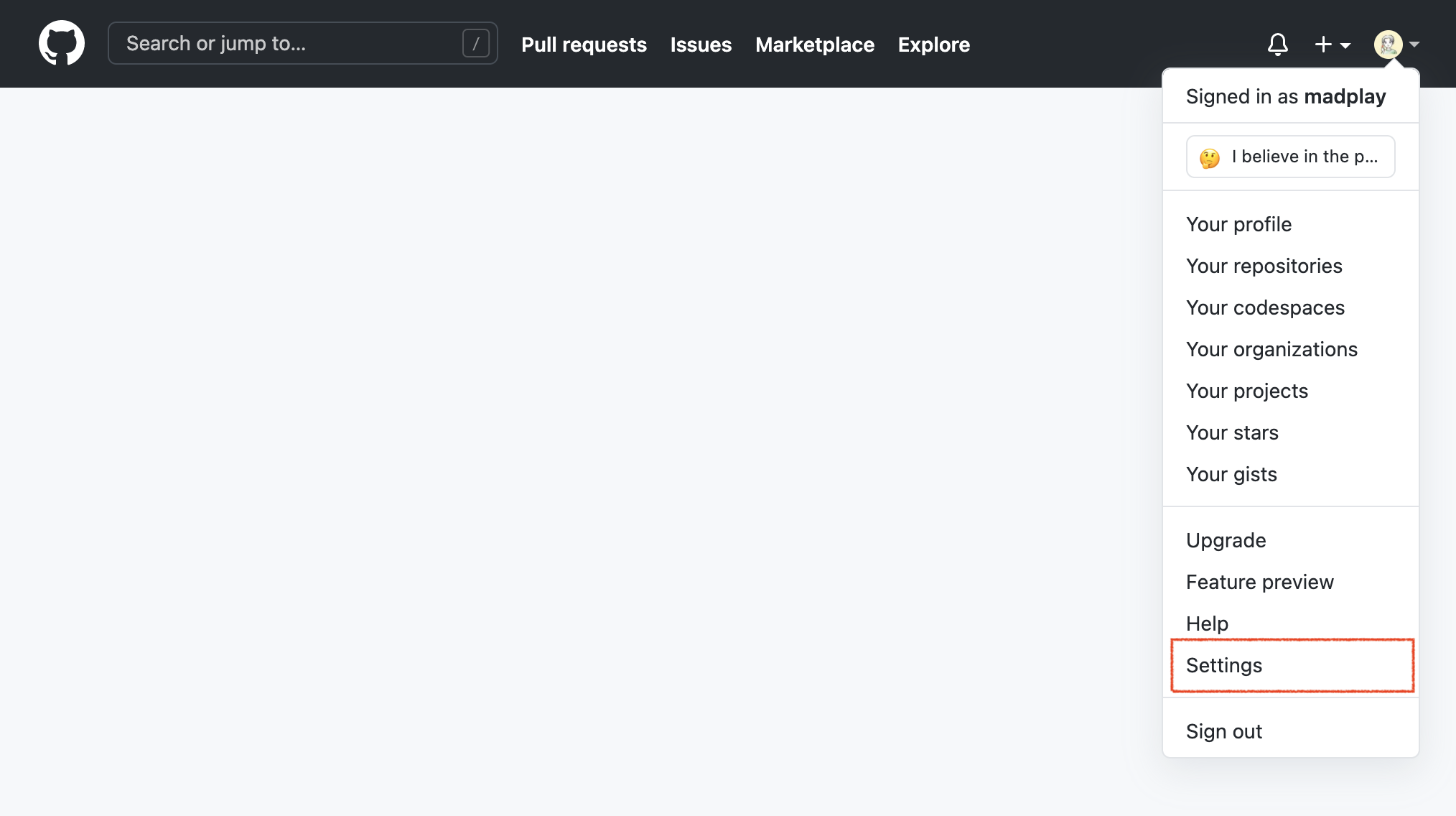
First, issue a token. Sign in to GitHub, open the profile menu at the top-right, then enter “Settings”.
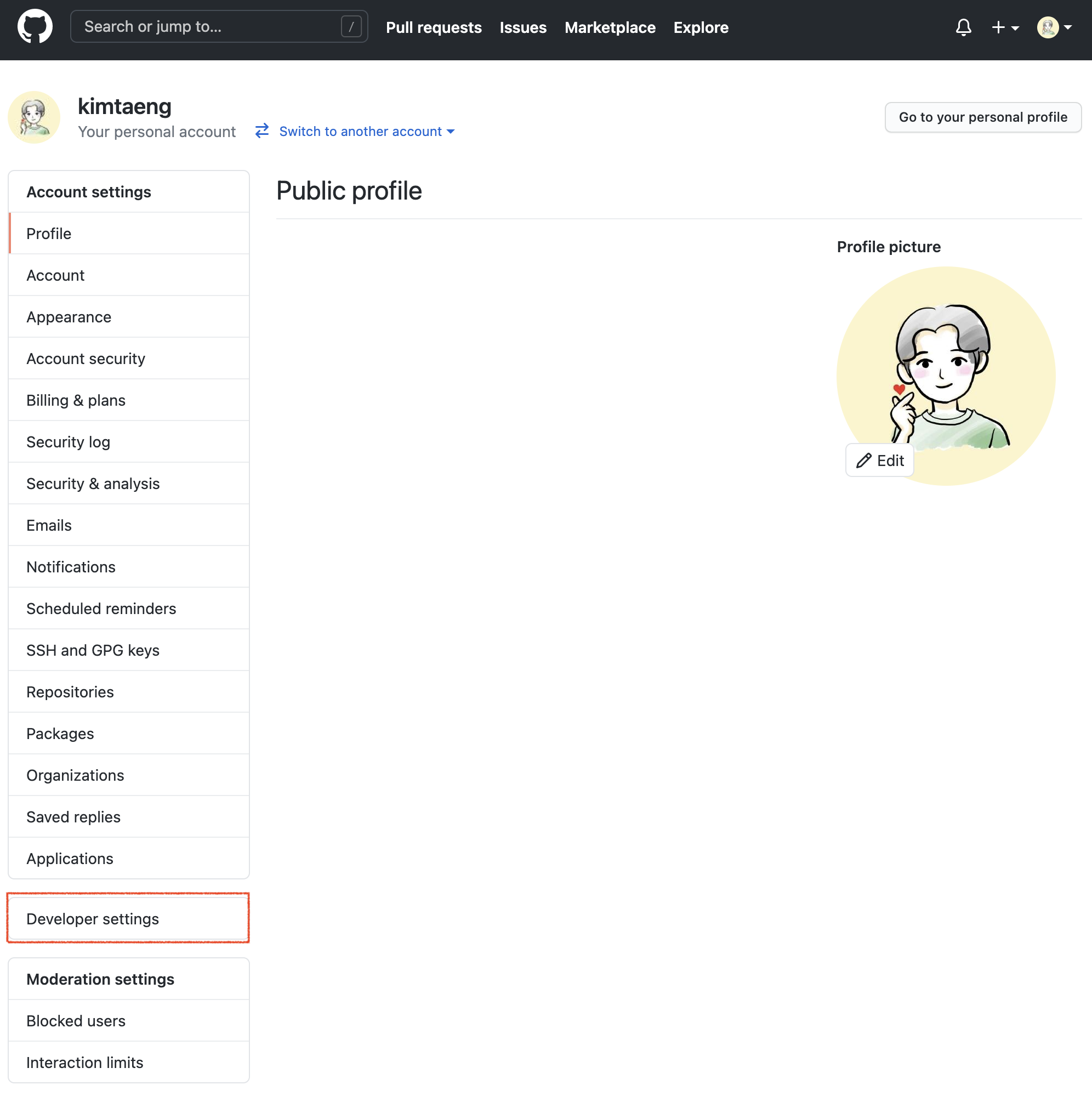
In Settings, open “Developer settings” near the bottom-left. (Some items shown in the screenshot were removed intentionally because they contain personal information.)
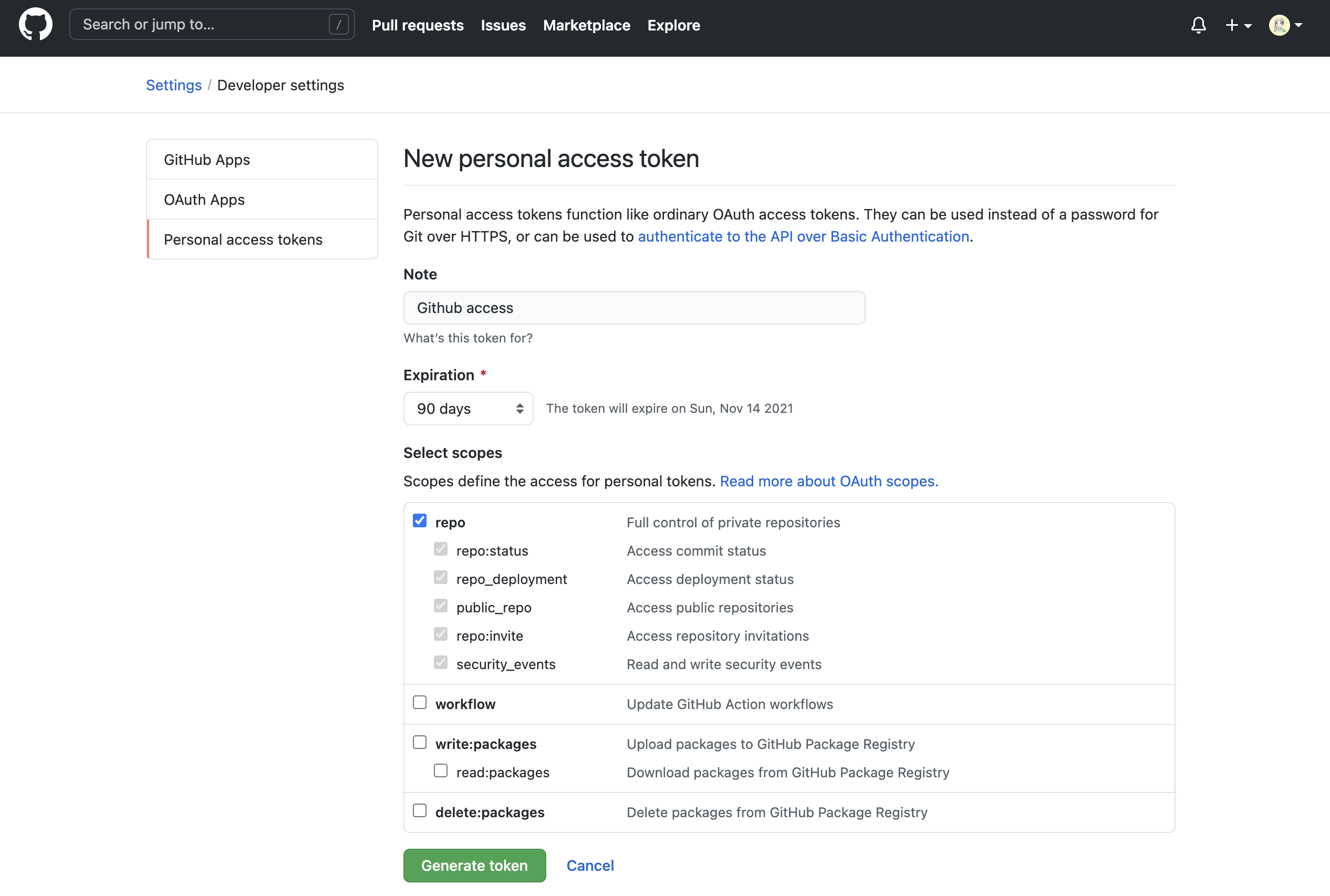
Then create a new token in “Personal access tokens” as shown below. Input fields mean:
- Note: Name your token based on its use.
- Expiration: Set token expiration. You can choose No Expiration, but the UI warns against it.
- Select scopes: Choose permissions. In this example, only “repo” is checked for repository operations.
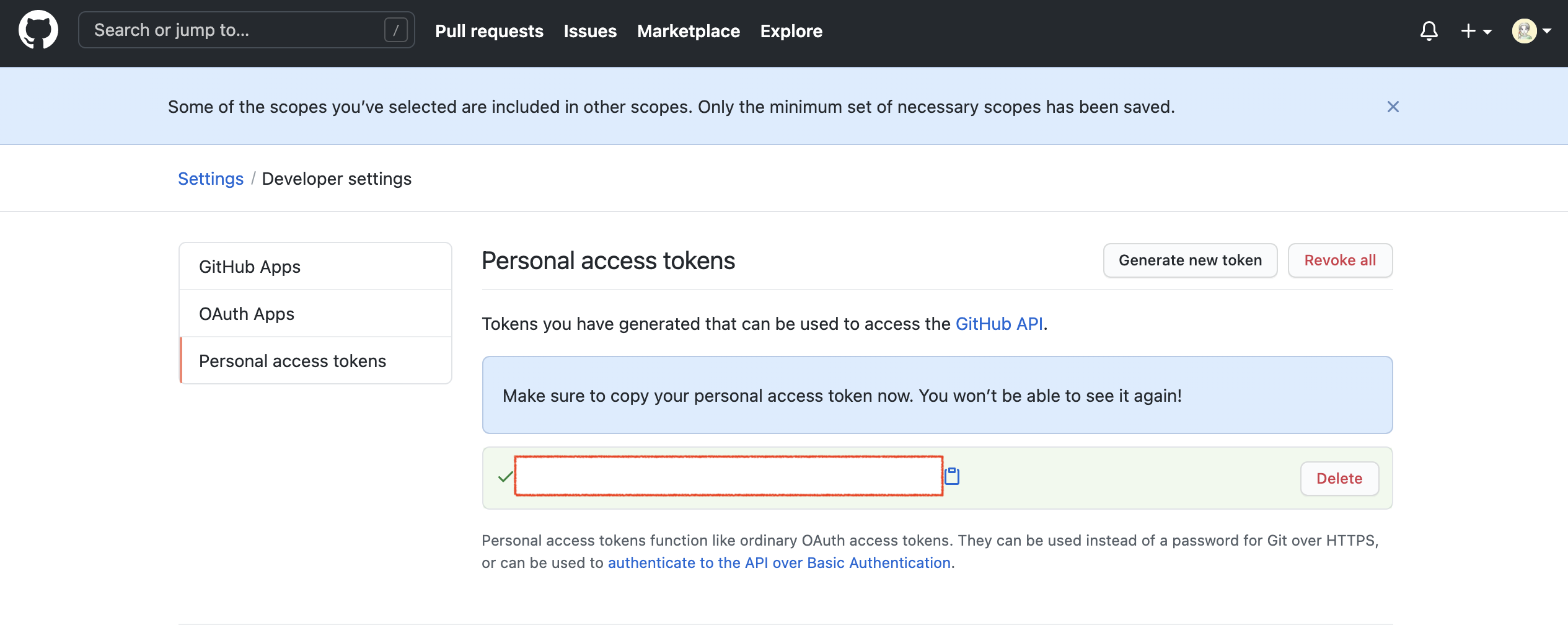
After creation, you can see the token as below. As the message says, “Make sure to copy your personal access token now. You won’t be able to see it again!” Copy it immediately and store it safely.
Save the Token in Keychain
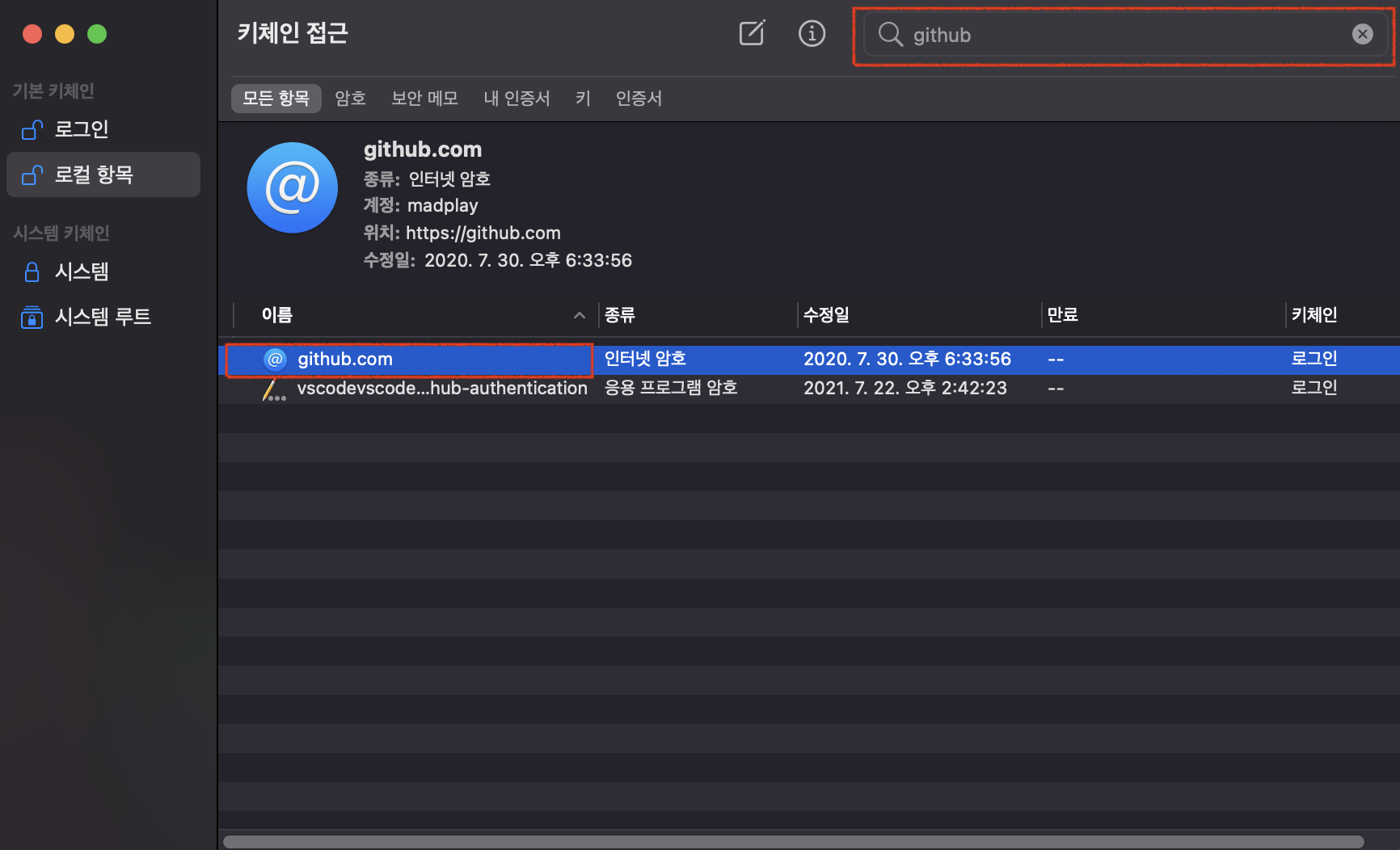
Token issuance is done. Next, replace the saved password in Keychain. Open Spotlight, search for “Keychain Access”, run it, and search for “github”. You can find an Internet password entry like below. Open it with double-click.
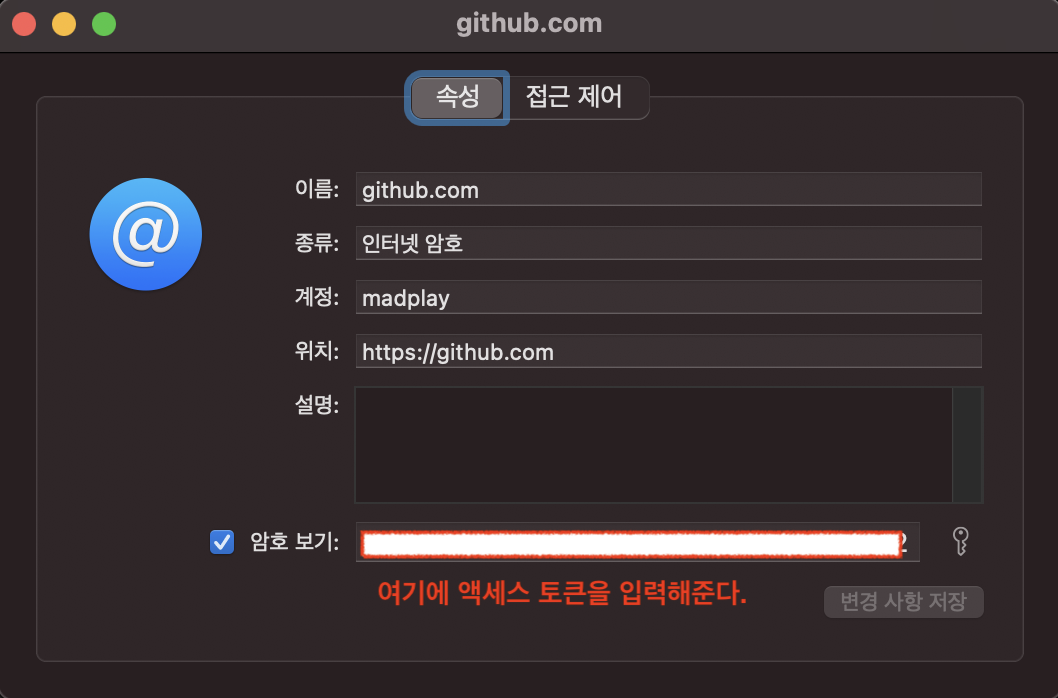
Check “Show password” and enter the personal access token you just issued. That completes the process.
After saving, run Terminal again and push source code to GitHub. The push now succeeds.