grep Command
The grep command searches for strings with regular expressions in specific files and outputs lines containing those strings. Usage is as follows.
grep: invalid option -- ?
usage: grep [-abcDEFGHhIiJLlmnOoqRSsUVvwxZ] [-A num] [-B num] [-C[num]]
	[-e pattern] [-f file] [--binary-files=value] [--color=when]
	[--context[=num]] [--directories=action] [--label] [--line-buffered]
	[--null] [pattern] [file ...]
grep Options
There are options that can be used together with the grep command.
- -c : Displays the number of lines containing the string.
- -i : Does not distinguish between uppercase and lowercase letters of the string.
- -h : Does not output file names.
- -l : Outputs only names of files where strings match.
- -v : Outputs strings that don’t contain the entered pattern.
- -r : Outputs all files including subdirectory files.
- -n : Outputs line numbers containing matched strings.
- -w : Outputs only when the entered string exists as an independent word.
grep Examples
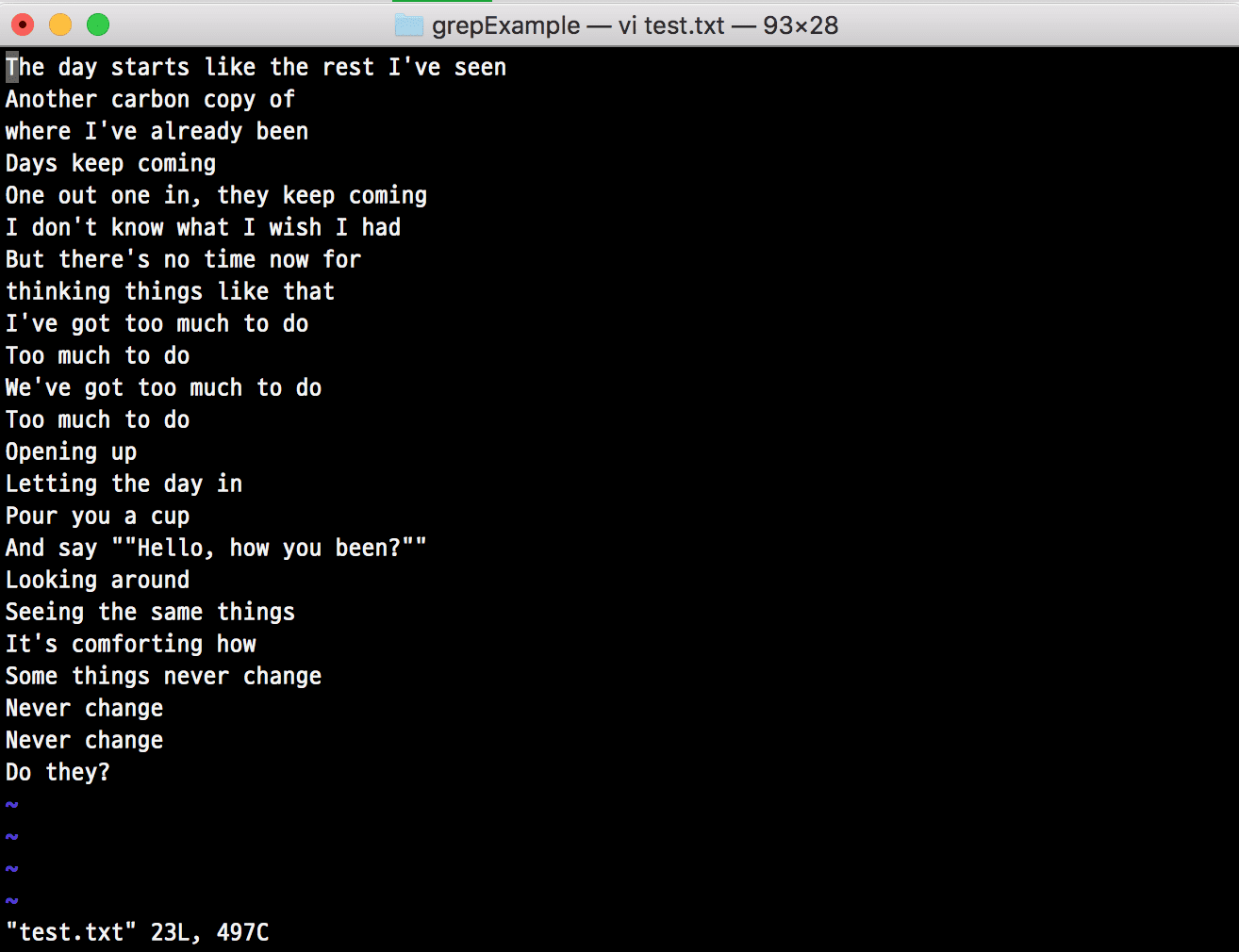
Learning usage methods through various cases. Assume there’s an example file (test.txt) as below and proceed.
Find Lines Containing Specific Word (Opening)
$ grep 'Opening' test.txt
Find Lines Starting with Specific Word (Open)
grep '^Open' test.txt
Find Lines Ending with Specific Word (up)
grep 'up$' test.txt
Find Lines Where Specific Word (up) Exists Independently
- Strings like cup are not searched
grep -w 'up' test.txt
Find Lines Consisting of Specific Word (a) and One Character Immediately After
- Ex) ab, ac, ad
grep 'a.' test.txt
Find Lines with Uppercase Letters, Not Lowercase
grep '[^a-z]' test.txt
Find Lines Where Uppercase, Lowercase, and Lowercase After Space Appear Consecutively
grep '[A-Z][a-z] [a-z]' test.txt
Find Lines Where Lowercase a Appears, Then b Appears 0 or N Times Immediately After, Then Space Appears Consecutively
grep 'ab* ' test.txt'
Find with OR Condition
- Ex) grep ‘got|to’ test.txt (lines containing got or to)
grep 'pattern1\|pattern2' test.txt
Find with AND Condition
- The grep command doesn’t have AND operations, but you can use it similarly.
- Ex) grep -E ‘got.*to’ test.txt (lines containing both got and to)
grep -E pattern1.*pattern2 test.txt