Disqus Feels Heavy
I had used Disqus as the blog comment system. Over time, it started to affect page load speed too much.
In some cases loading took more than 10 seconds, and even after scrolling to the comment area, scripts were still not fully loaded.
So I looked for another comment system.
While searching, I found utterances. It uses GitHub Issues for comments, and I liked that approach.
Since the blog itself runs on GitHub, managing comments in the same place means managing one integrated surface.
So I decided to apply it and test it.
Applying utterances
With utterances, posting a comment creates a comment on a GitHub repository issue.
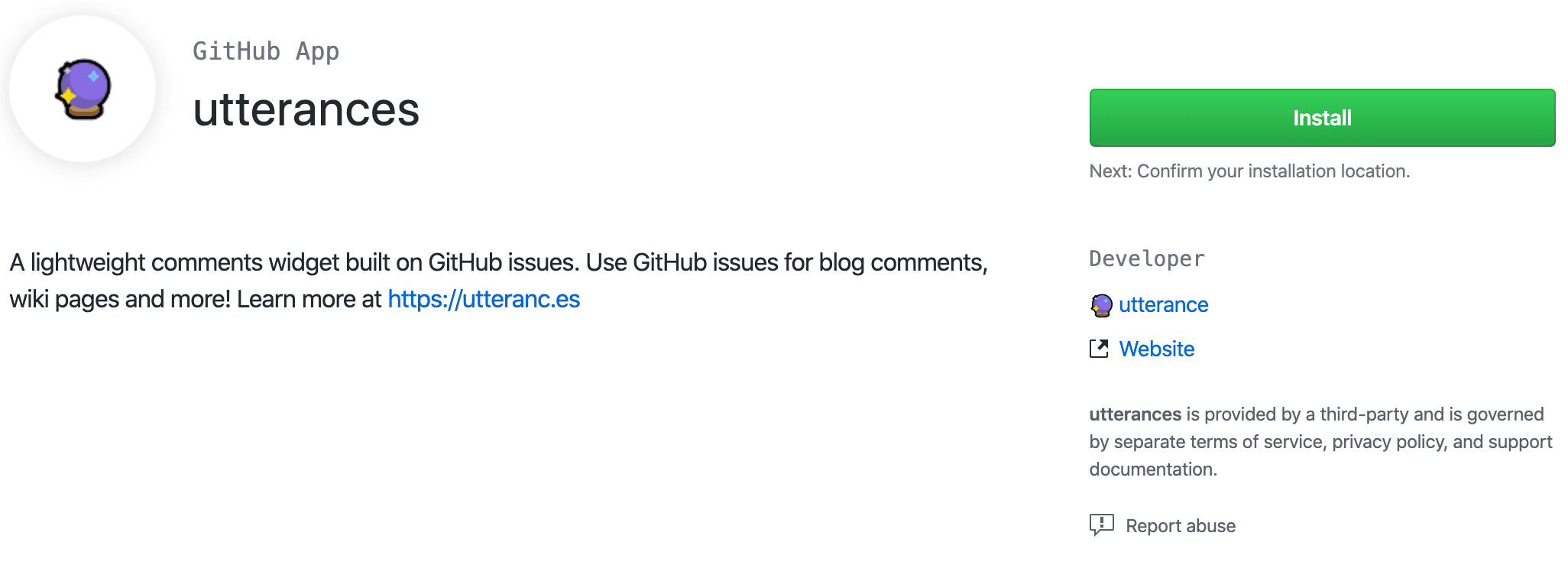
So you need a repository to connect. First, install utterances through the link below.
Click the Install button and choose the repository to integrate.
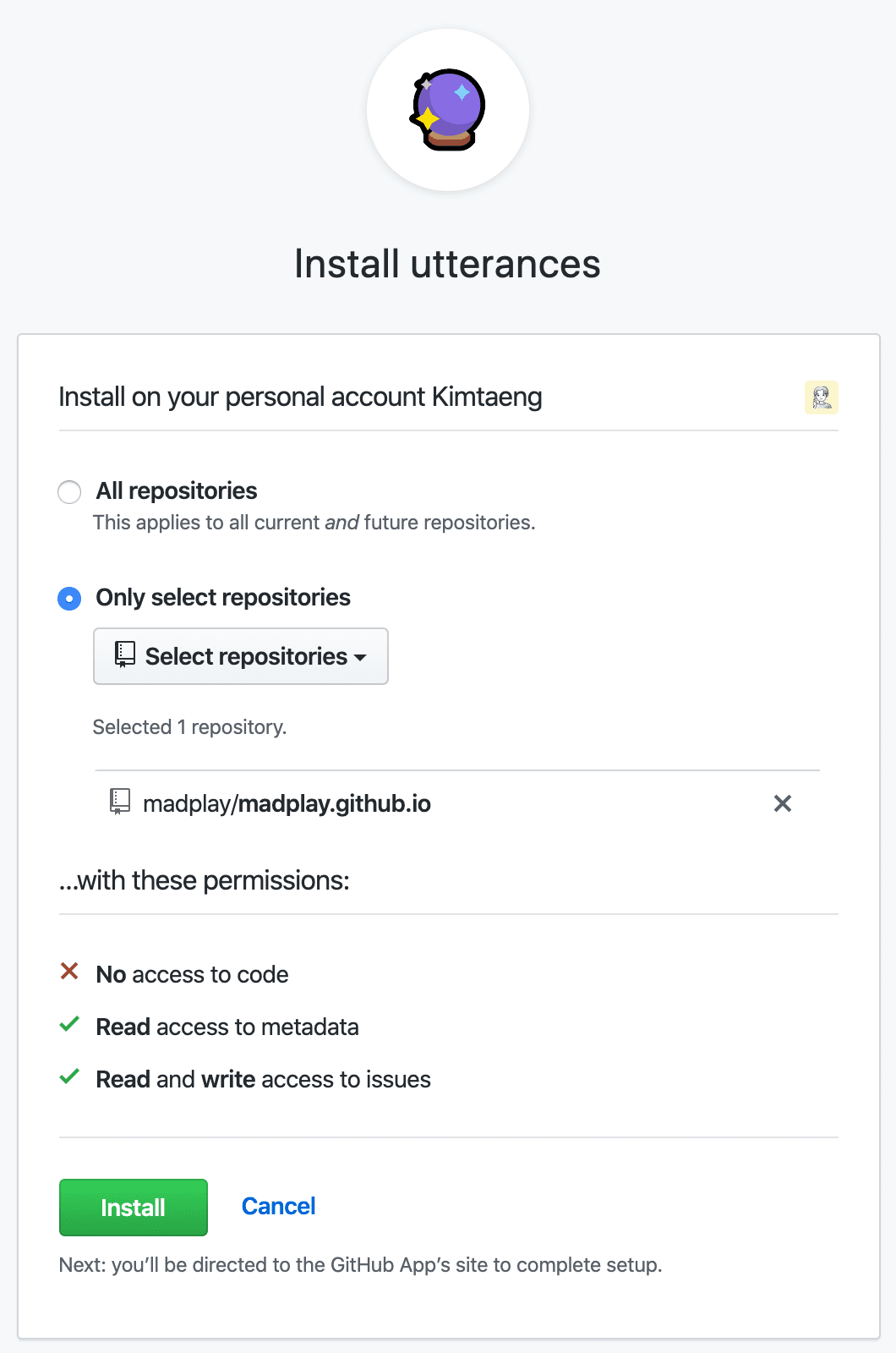
As shown below, you can decide the authorization scope yourself.
You can grant utterances access to all repositories or only selected repositories.
Most users seem to use a separate repository such as username/blog-comment, but I selected the same repository as my blog.
I wanted to manage everything in one place.
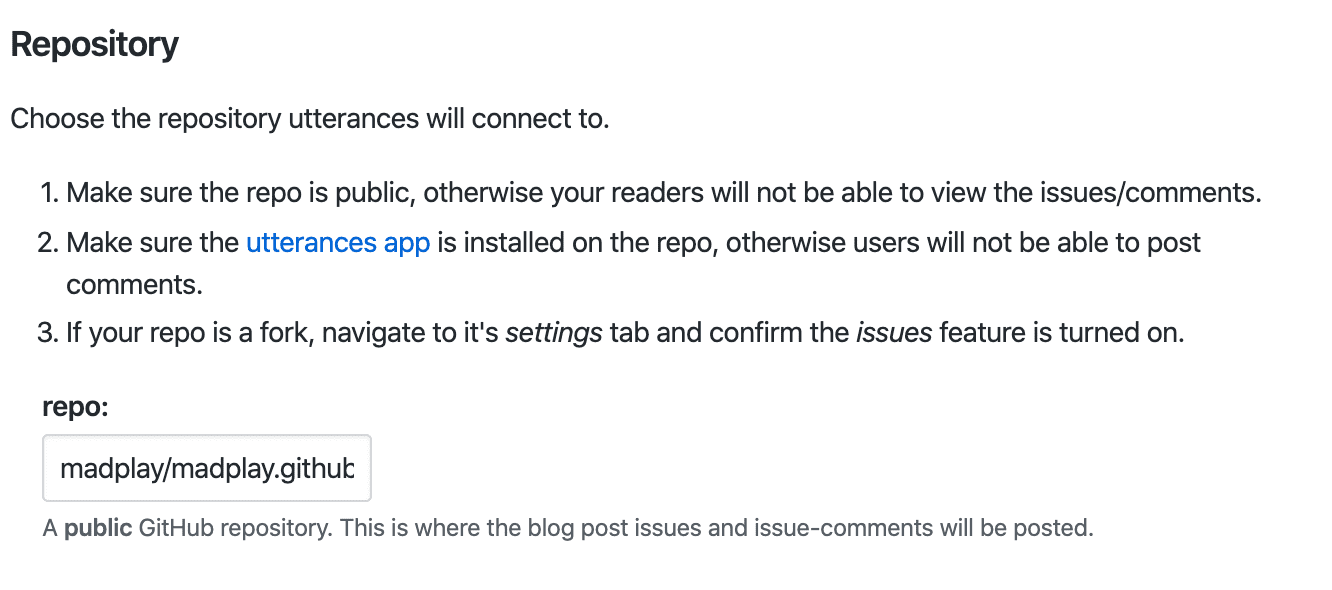
Now configure utterances. In Repository, enter the repository name.
It must be a public repository. Enter it in the format username/repository.
As mentioned earlier, I entered my blog repository.
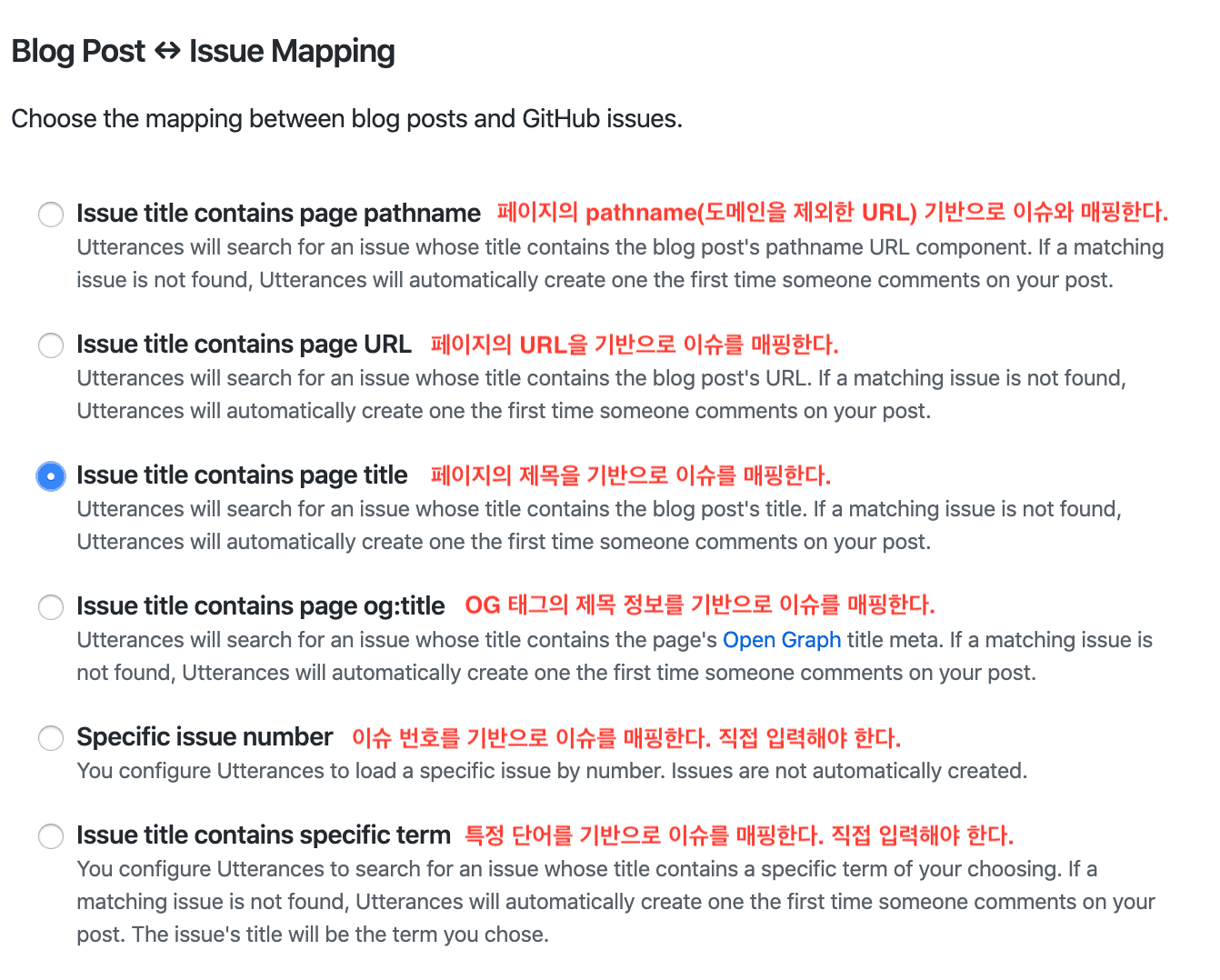
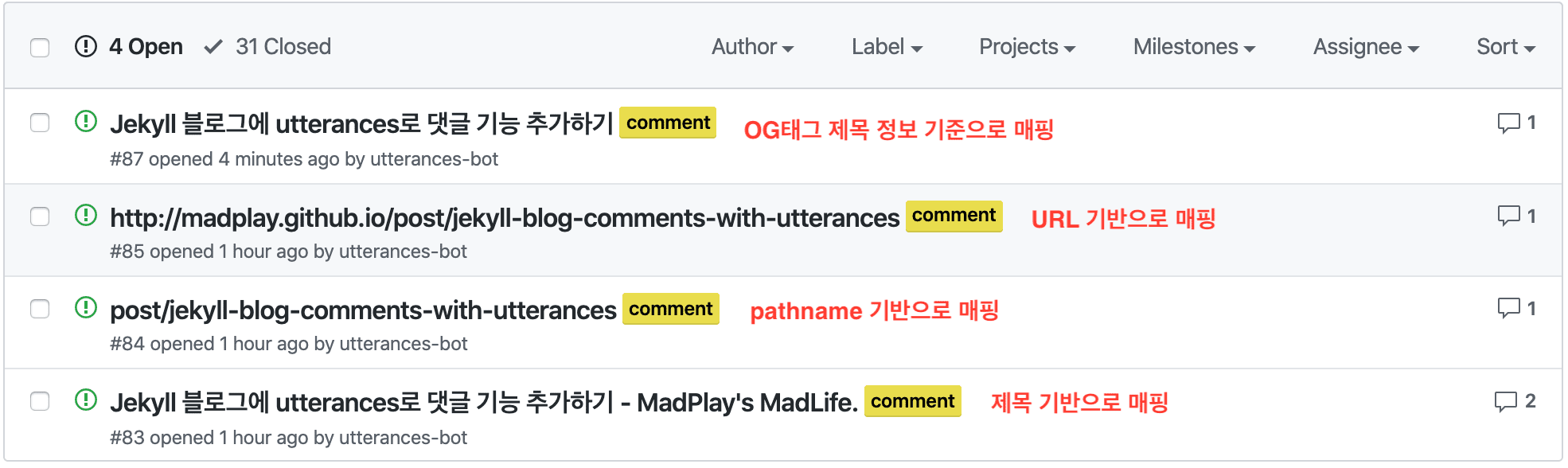
Next, choose how to map blog posts and issues. I selected mapping by “title” first. If you are curious, as I was, about how the other options behave, I included test results at the end of this post. Here is a quick description of each mapping option.
- Maps issues based on page pathname (URL without domain).
- Maps issues based on page URL.
- Maps issues based on page title.
- Creates issues based on OG tag title.
- Maps by issue number. You enter it manually.
- Maps by a specific term. You enter it manually.
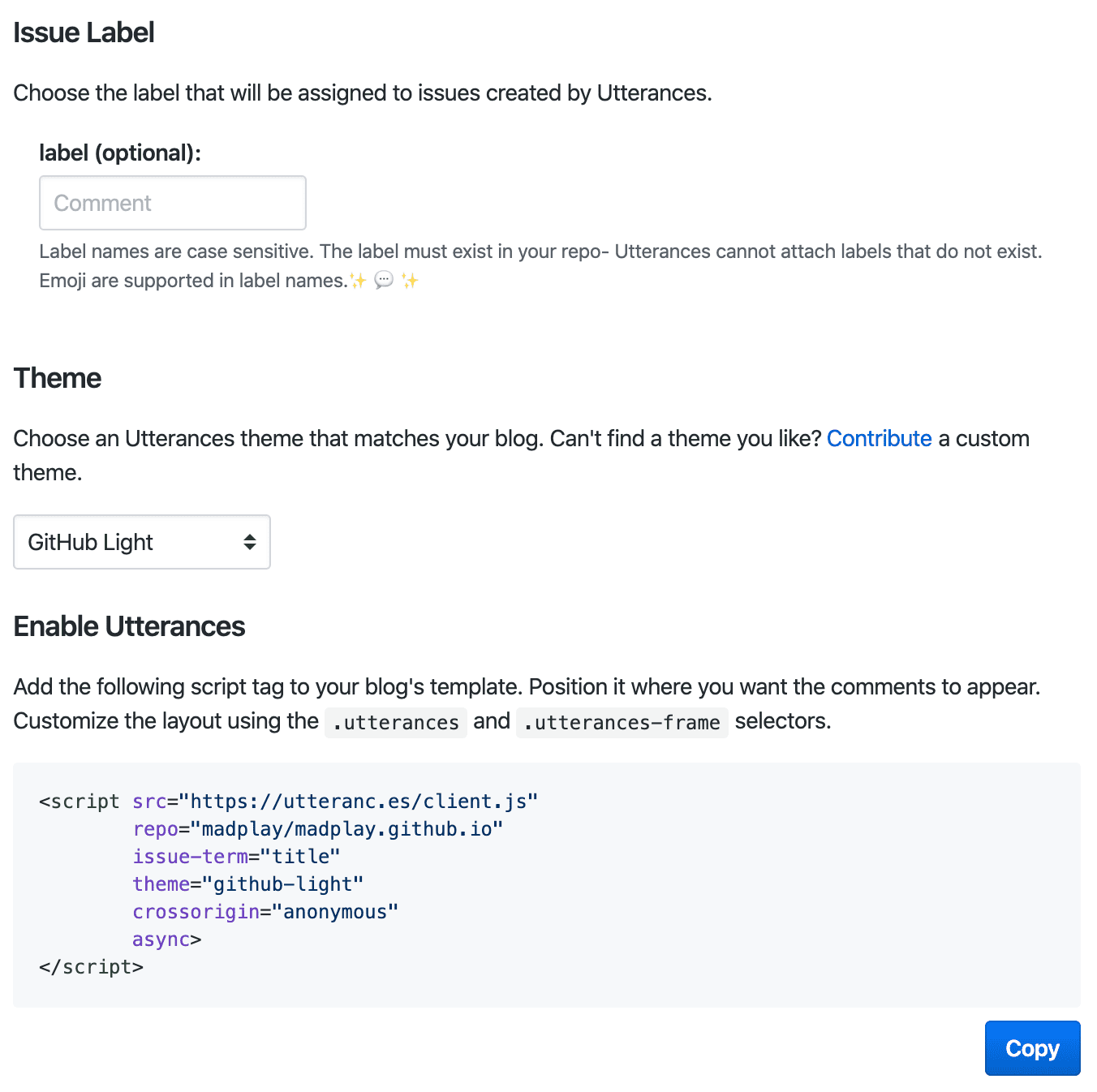
You can also configure additional settings. For example, you can automatically add labels when an issue is created from comments.
Using a label such as comment helps avoid confusion with other issues. You can also change the color theme.
Finally, check the script code for applying it to the blog. Click Copy, then include it in your blog.
You can include it in the post layout.
Result After Applying
Below are the results from trying different mapping settings. At first, I did not use labels. Later, I found labels better because they prevent confusion with other issues. I also started with title-based mapping, but I did not like how the blog title (MadPlay’s MadLife) was appended repeatedly. Eventually I switched to mapping based on the OG tag title.
While testing, I also wondered, “What happens if I close an issue?” I tested it directly. Even if an issue is closed, comments can still be written. However, posting a comment from the blog does not reopen the closed issue.
Also, if you change the issue title according to each mapping rule, you can reset comment linkage for a specific post. From that perspective, using the most unique key for issue mapping seems safer. URL-based mapping might be the better choice.