When You Keep Committing…
During development, it is common to split work into multiple commits. Sometimes you collect changes and commit once, but then it is easy to lose track of what changed and which features are done.
Of course, it depends on your style. Sometimes a single commit includes multiple features. Still, smaller commits make code reviews like Pull Requests easier to read.
On the other hand, when you fix bugs or address review feedback, you often create several small commits. When you finally merge the branch, the history can look messy. Some open source projects even ask contributors to clean up commit logs before merging the PR. In other words, they want you to squash commits with git rebase.
Squash Commits
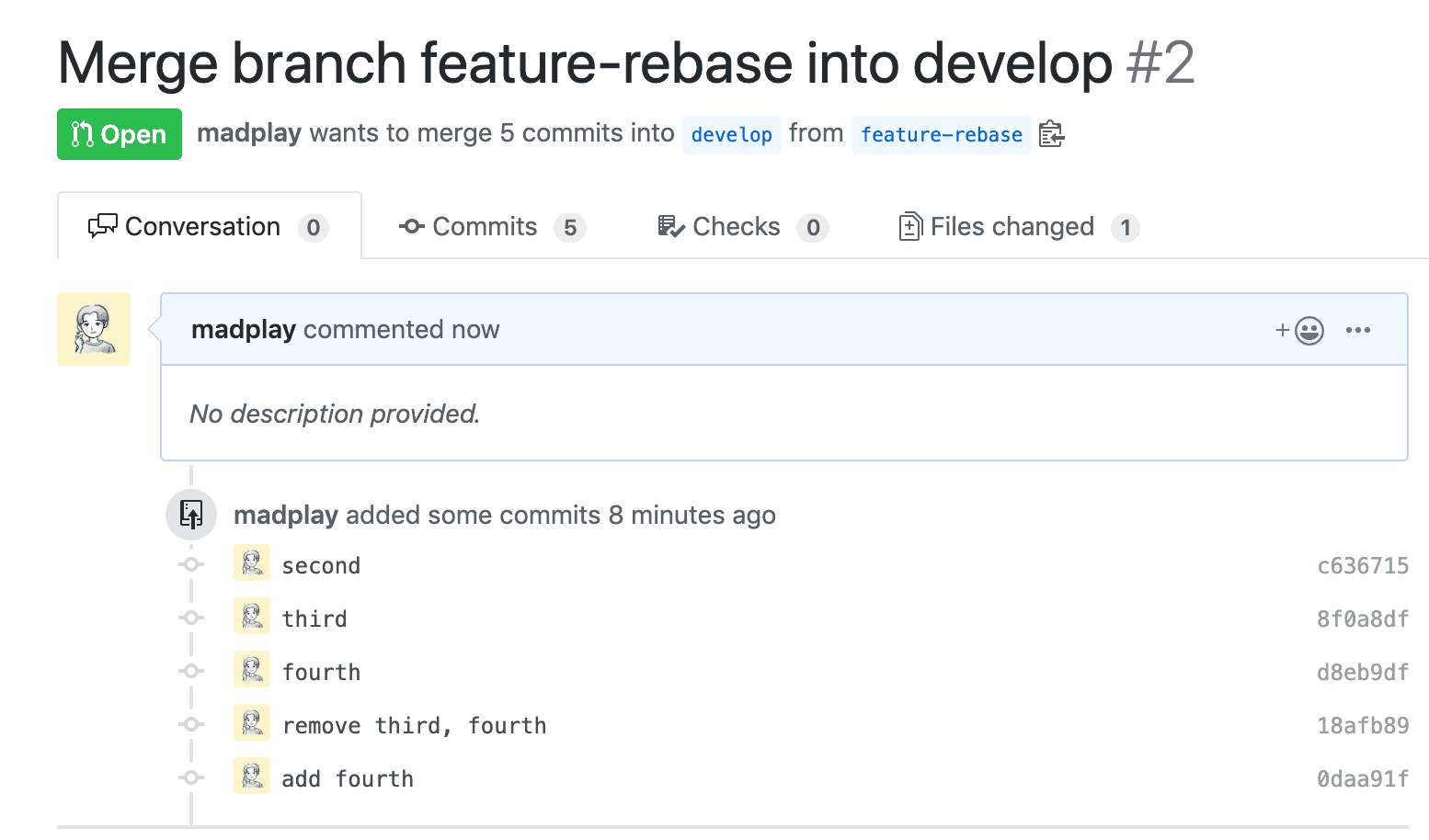
After you finish code review or bug fixes, and before the final merge, squash the commits. First, check the current commit history.
$ git log --oneline
0daa91f (HEAD -> feature-rebase, origin/feature-rebase) add fourth
18afb89 remove third, fourth
d8eb9df fourth
8f0a8df third
c636715 second
9e76605 (origin/master, master) first
From the current HEAD, squash the latest 3 commits. Run git rebase -i HEAD~3.
$ git rebase -i HEAD~3

pick d8eb9df fourth
pick 18afb89 remove third, fourth
pick 0daa91f add fourth
Add s (short for squash) in front of commits that should be combined. Commits marked with s are merged into the previous pick commit.
pick d8eb9df fourth
s 18afb89 remove third, fourth
s 0daa91f add fourth
Save and exit with :wq. You will see the combined commit message editor. You can edit the commit message here.
# This is a combination of 3 commits.
# This is the 1st commit message:

fourth

# This is the commit message #2:

remove third, fourth

# This is the commit message #3:

add fourth

# Please enter the commit message for your changes. Lines starting
# with '#' will be ignored, and an empty message aborts the commit.
Edit it like this: remove the old messages and keep a single one. In this example, I reuse the earlier messages so you can see the squash clearly. In practice, write a cleaner message.
# This is a combination of 3 commits.
# This is the 1st commit message:

add fourth, remove third, fourth

# Please enter the commit message for your changes. Lines starting
# with '#' will be ignored, and an empty message aborts the commit.
Check the log again.
$ git log --oneline
8923928 (HEAD -> feature-rebase) add fourth, remove third, fourth
8f0a8df third
c636715 second
9e76605 (origin/master, master) first
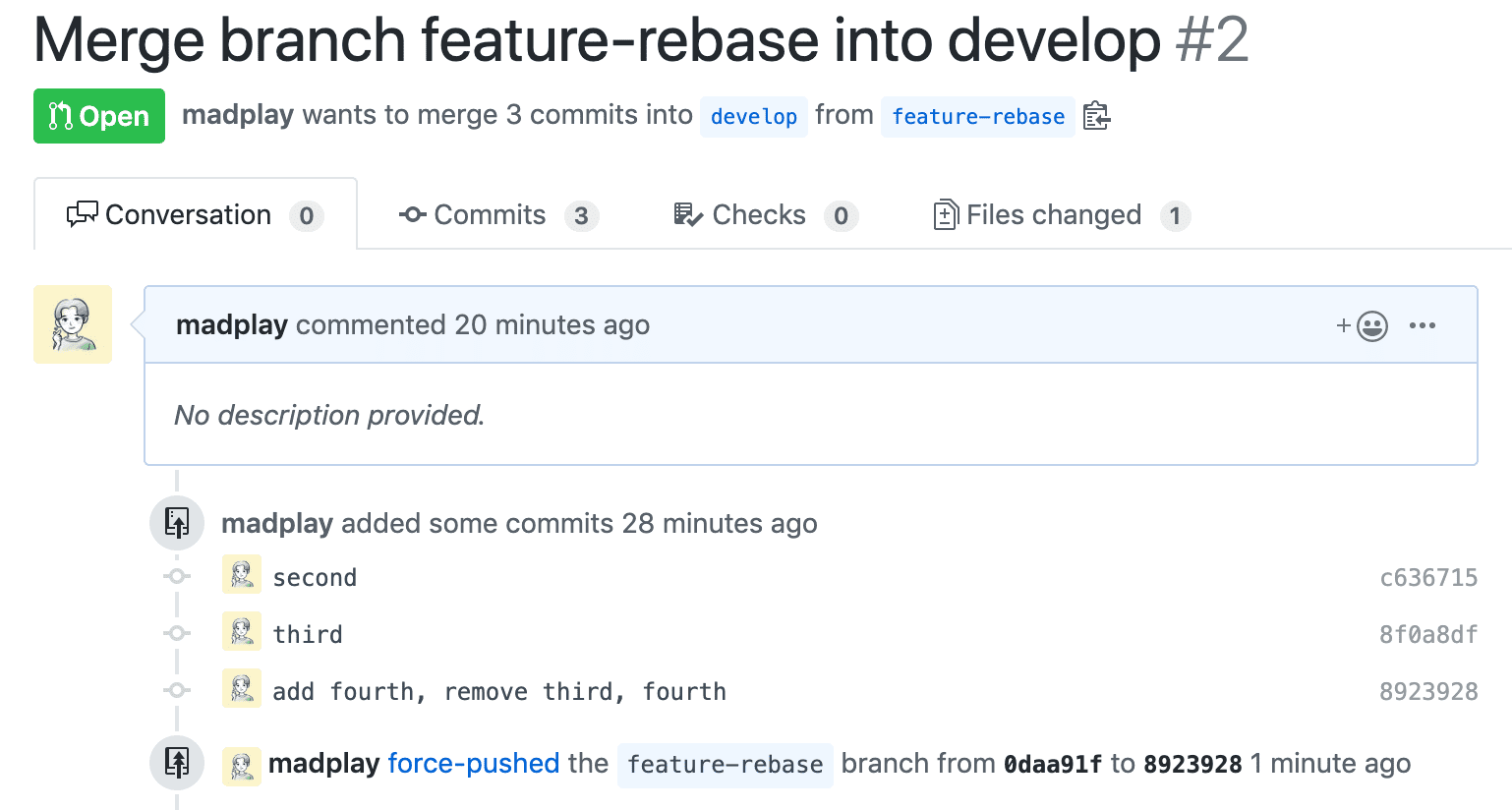
The log now shows a single commit for the three changes. Now push it to the remote.
Push to the Remote
You can push with git push. In this example, I created a separate branch named feature-rebase. As I mention later, rebasing on shared branches like master or develop is risky.
$ git push origin feature-rebase
To https://github.com/madplay/madplay.git
 ! [rejected]        feature-rebase -> feature-rebase (non-fast-forward)
error: failed to push some refs to 'https://github.com/madplay/madplay.git'
hint: Updates were rejected because the tip of your current branch is behind
hint: its remote counterpart. Integrate the remote changes (e.g.
hint: 'git pull ...') before pushing again.
hint: See the 'Note about fast-forwards' in 'git push --help' for details.
As expected, when you squash commits, a normal push fails. The local branch is now behind the remote because you created new commits. In this case, use --force (or -f).
$ git push -f origin feature-rebase
After the force push, the Pull Request reflects the squashed history.
Closing
In the example above, git rebase targets only the latest 3 commits, but you can squash more. If you use the hash of the commit just before the range you want, you can select all commits after it.
$ git log --oneline
8923928 (HEAD -> feature-rebase, origin/feature-rebase) add fourth, remove third, fourth
8f0a8df third
c636715 second
9e76605 (origin/master, origin/develop, master) first

$ git rebase -i 9e76605d
When you run git rebase -i 9e76605d, commits c636715, 8f0a8df, and 8923928 are selected. Hash values differ across repositories, so always check your own log. The key is to target the commit right before the range you want.
If you squash all commits except the master commit, the log looks like this:
$ git log --oneline
31a7b78 (HEAD -> feature-rebase) second, third, add fourth, remove third, fourth ===> only second
9e76605 (origin/master, origin/develop, master) first
With git rebase, you can squash commits and even change commit authors.
Finally, squashing makes history clean but requires force push, so be careful on shared branches like master or develop. Do not rewrite shared history unilaterally.