What Is This Error?
When running code in IntelliJ IDEA, you may see this message:
Error:java: javacTask: source release 8 requires target release 1.8
It indicates a mismatch between the source level and the target bytecode level. The fix is straightforward.
Fix
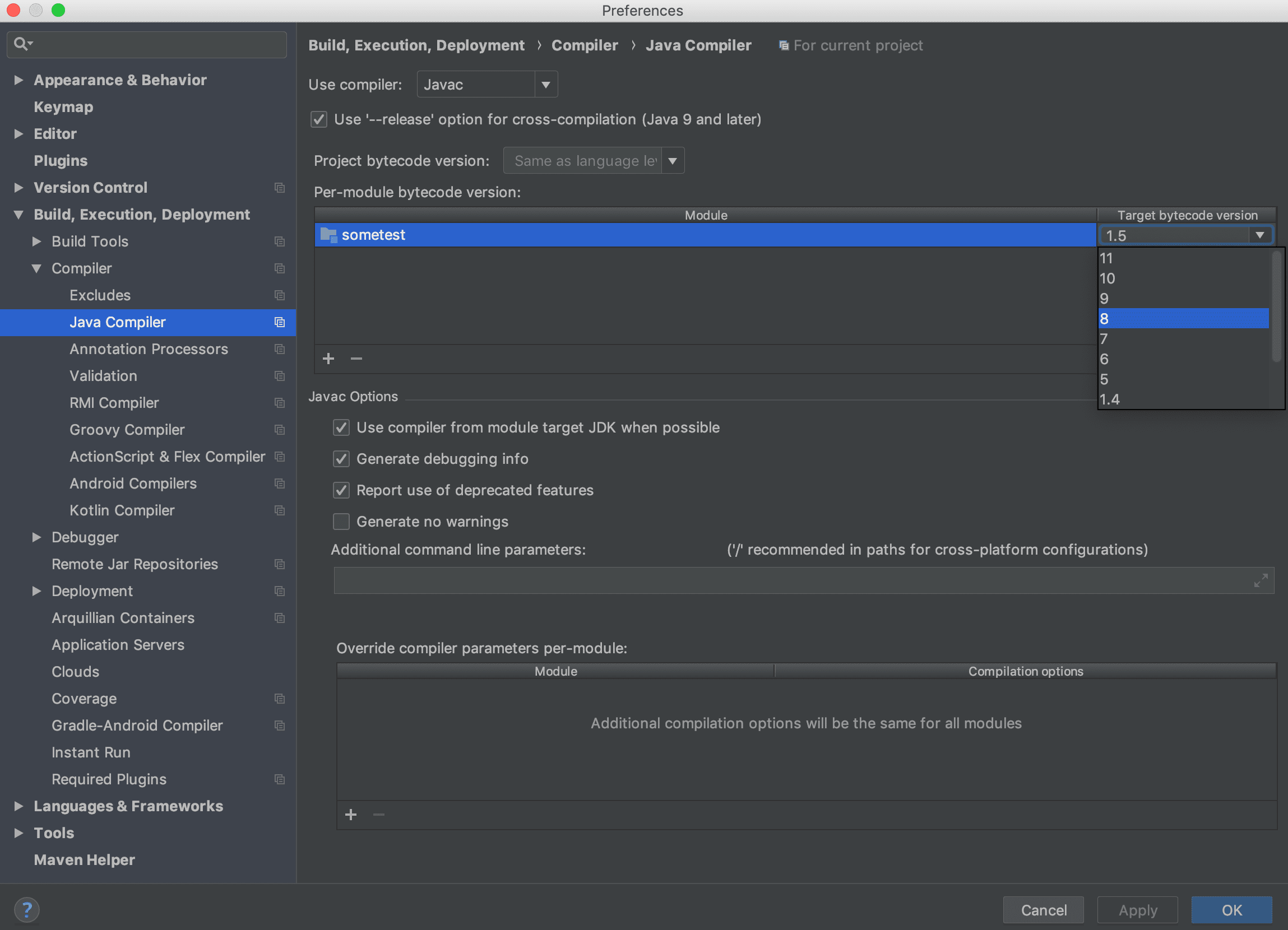
Update IntelliJ settings. On macOS, follow this path and set the module target bytecode.
Maven Fix
If you use Maven, add compiler settings in pom.xml instead of changing IDE settings.
<build>
    <plugins>
        <plugin>
            <groupId>org.apache.maven.plugins</groupId>
            <artifactId>maven-compiler-plugin</artifactId>
            <configuration>
                <source>1.8</source>
                <target>1.8</target>
            </configuration>
        </plugin>
    </plugins>
</build>
Closing Notes
IntelliJ lets you set Project SDK and Language Level at the project level. You can also set them per module.
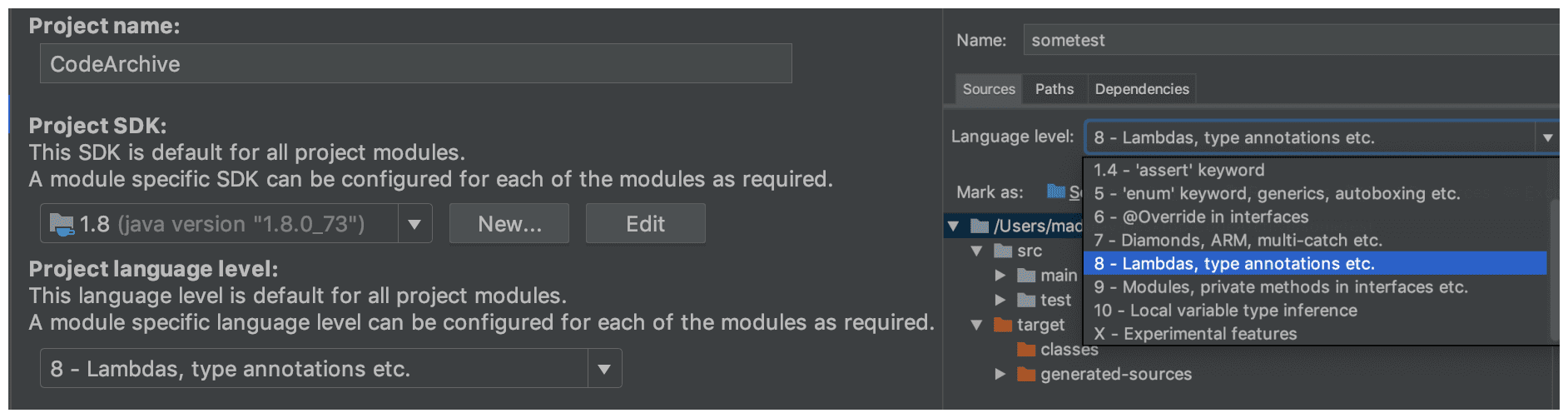
Project SDK (left) and per-module SDK/Language Level (right)
Even if the compiler level is set to Java 8, compilation still fails when the Language Level is lower than the target bytecode level.

java: try-with-resources is not supported in -source 1.5
(use -source 7 or higher to enable try-with-resources)