What Is FTP?
FTP stands for File Transfer Protocol. It is a protocol for uploading and downloading files between an FTP server and an FTP client.
FTP has two modes: Active and Passive. Both use two connections: a command channel and a data channel.
FTP is TCP-based. Active mode is the default. Port 21 is the command port. Port 20 (or a port above 1024) is used for data.
Active Mode
The active mode flow looks like this. The command and data ports can be configured on the server.
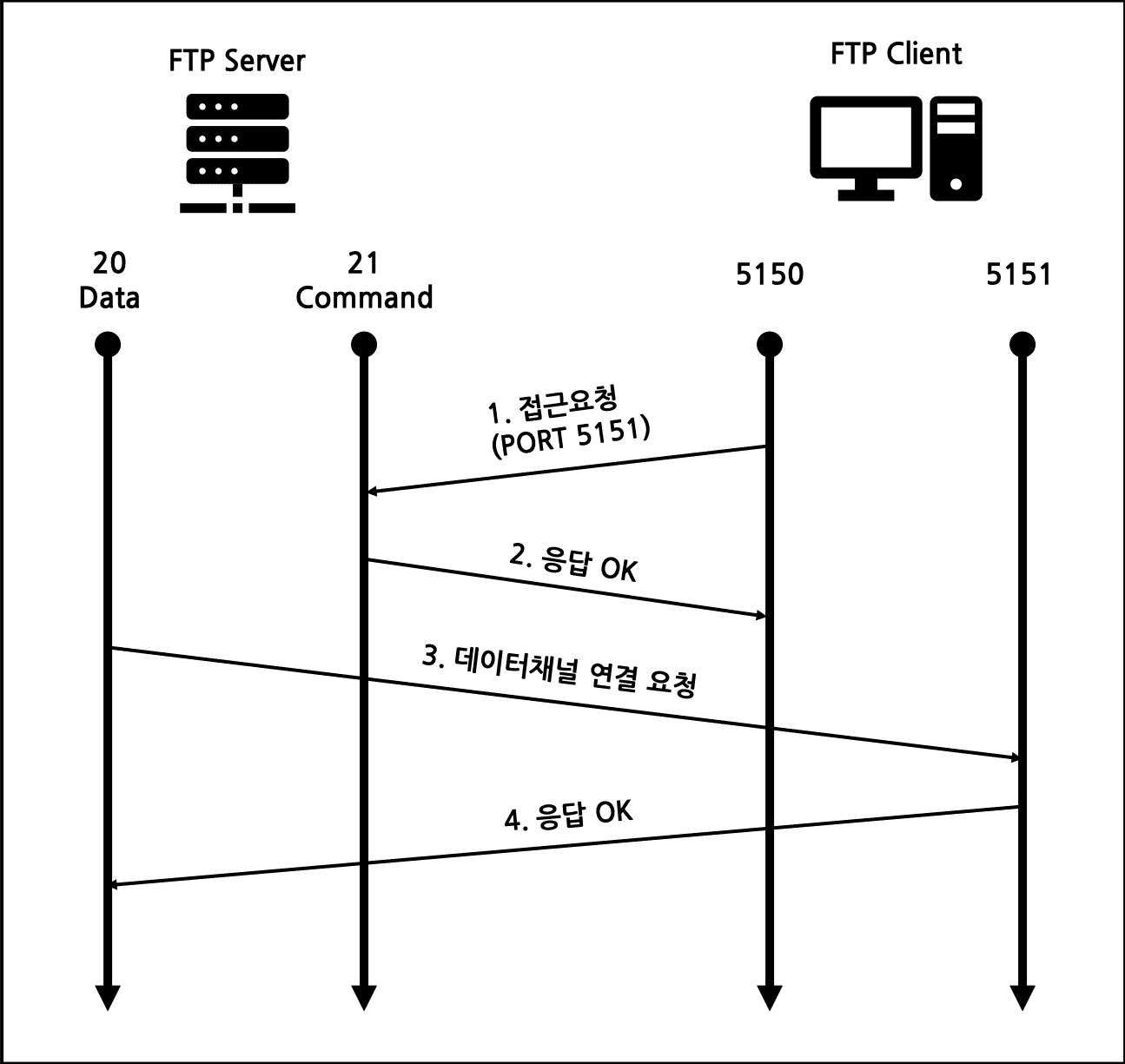
- 1) The client connects to port 21 and tells the server which secondary port it will use.
- 2) The server acknowledges.
- 3) The server connects from its data port (20) to the client’s announced port.
- 4) The client acknowledges.
In active mode, the server connects to the client for the data channel. If the client has a firewall that blocks inbound connections, FTP fails. Sometimes the connection succeeds but data listing fails.
Passive Mode
Passive mode solves the active mode firewall problem. Ports can be configured, and by default the data port is chosen from 1024–65535. You can also set a fixed range like 10001–10005.
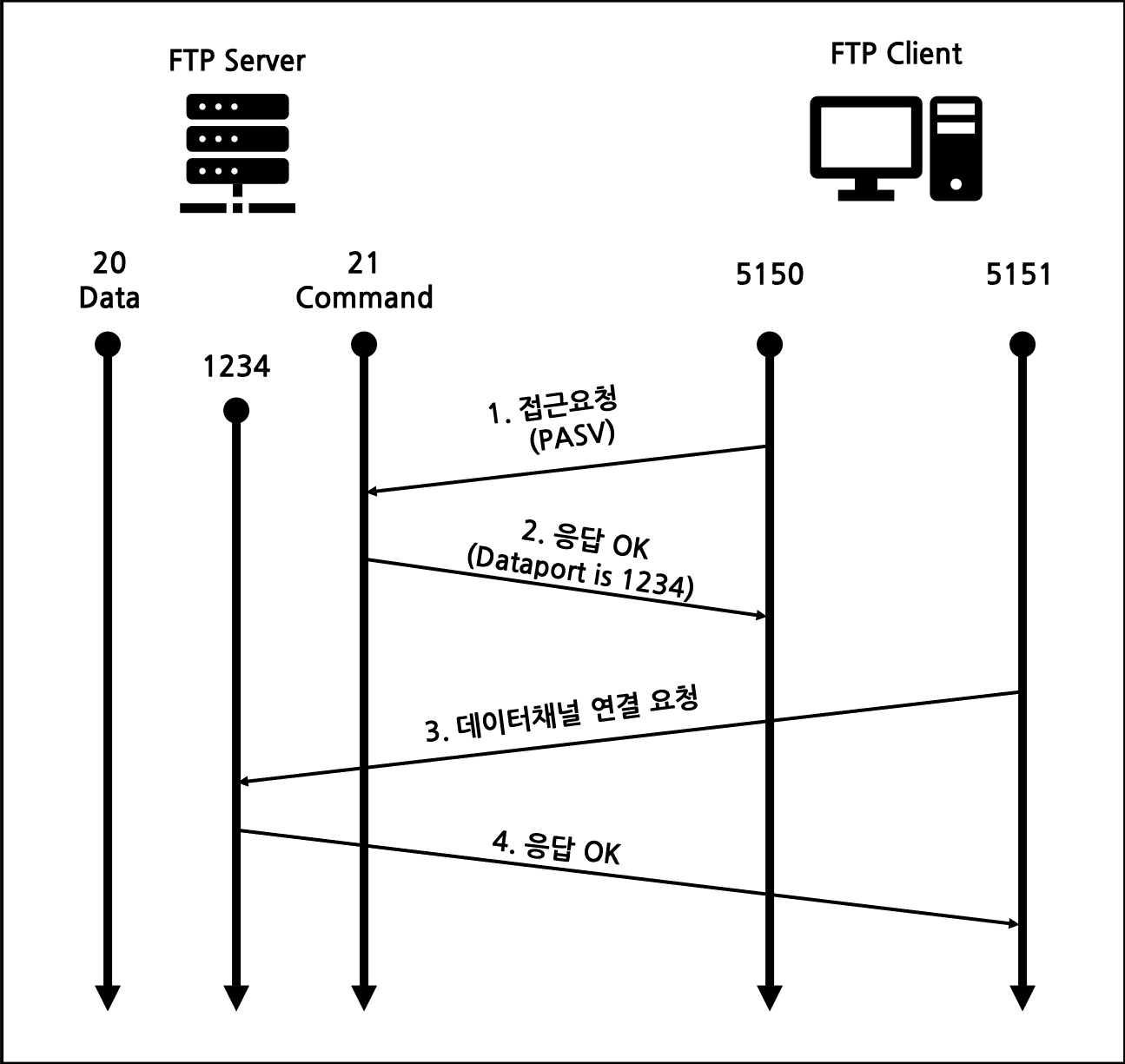
- 1) The client connects to the command port (passive mode request).
- 2) The server responds with the data port to use.
- 3) The client opens a second connection to that port.
- 4) The server acknowledges.
In passive mode, the server does not use port 20. It uses a random high port for the data channel.
Firewall Considerations
Active Mode If port 20 is blocked on the client side, the data channel fails. So the server must allow outbound connections from port 20, and the client must allow inbound connections.
Passive Mode If the server’s data ports are blocked, the data channel fails. Because passive mode uses a range of ports, you typically open a limited range on the server and configure the FTP server to use that range. That avoids opening all ports from 1024 to 65535.